

Hey there, I’m excited to announce the biggest release of Ruby Native since launch: Android support!
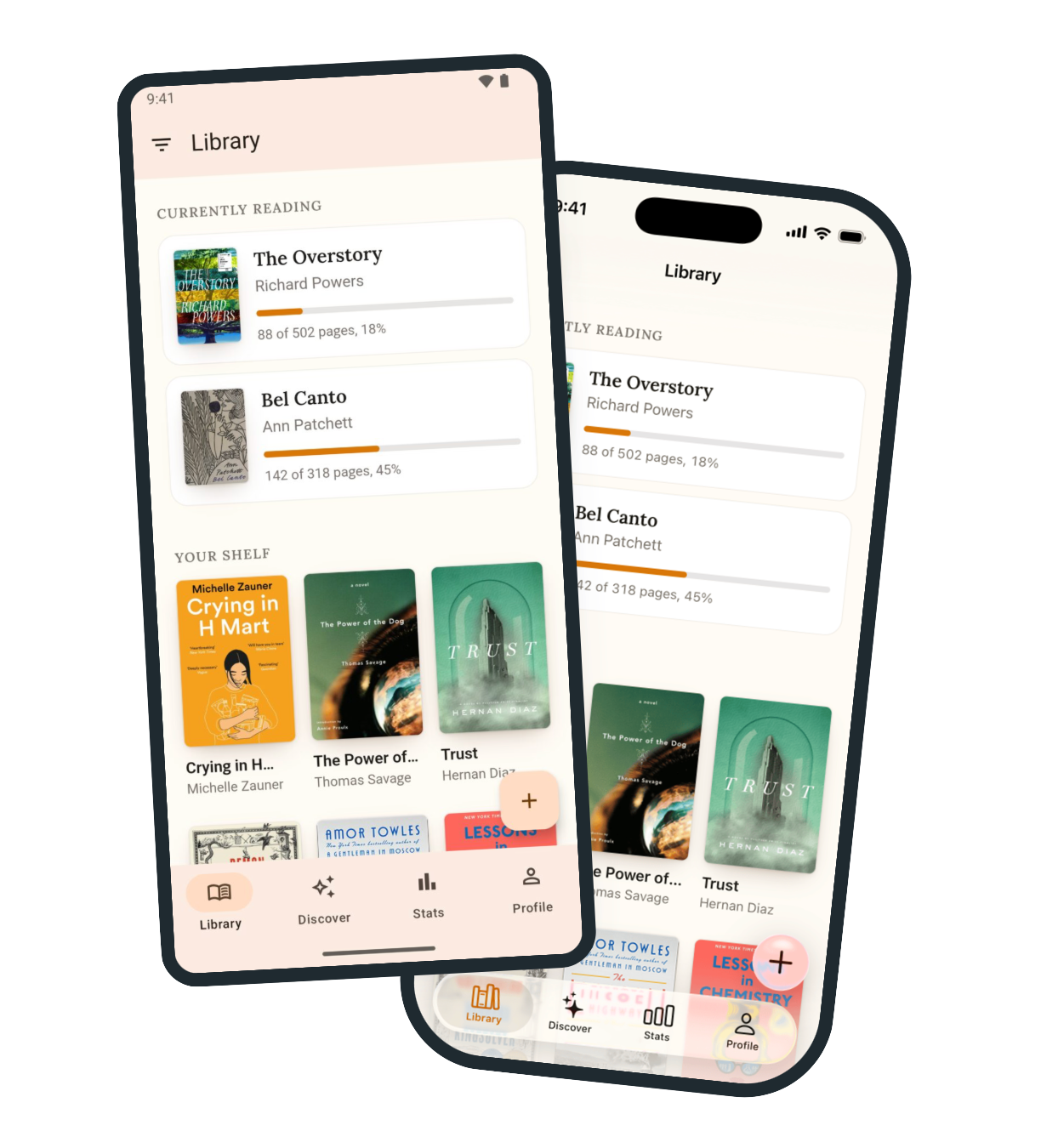
v0.12 officially brings Android out of beta. If you already have a working iOS app with Ruby Native, then you’re ready for Android. Few to no changes are needed in your Rails codebase to support the new platform.
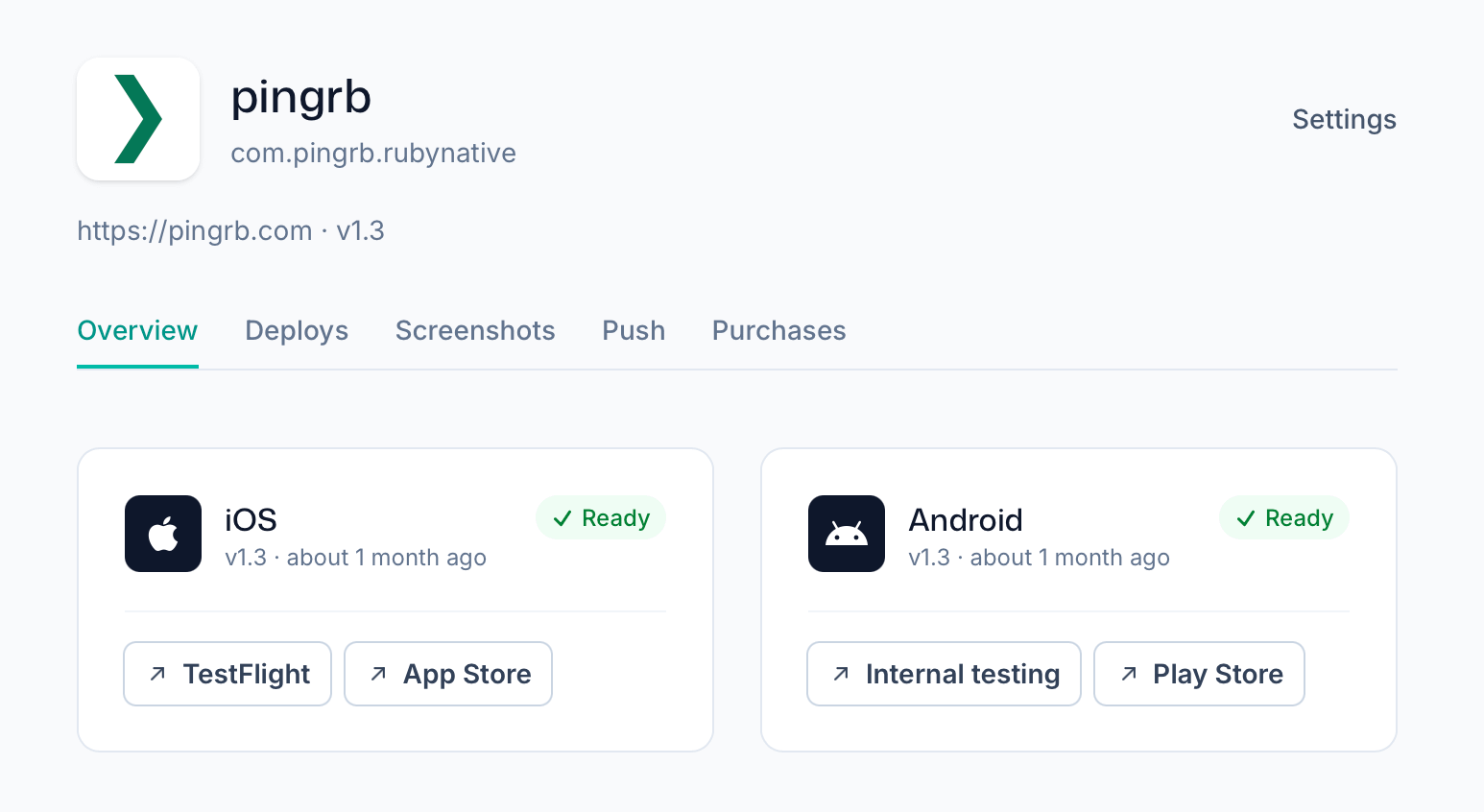
With the exception of in-app purchases, Ruby Native on Android can now do everything the iOS version can do. This includes cross-tab links, back-button history, share buttons, form handling, and push notifications.
Outside of Android support, a bunch of other improvements have launched in the past few weeks.
Securely sign out users
Add the following line to your layout and Ruby Native will securely reset the app when your users sign out:
<%= native_identity_tag current_user&.id %>Check out the full authentication documentation for how this behaves in different scenarios and how to configure it if you have accounts or teams (and not just users).
Scan barcodes
Another big feature available on iOS and Android is barcode scanning. Add some markup to your form to trigger a native, platform-specific barcode scanner flow:
<%= form_with url: lookups_path do |form| %>
  <%= form.text_field :isbn, id: "isbn" %>
  <%= native_scan_button_tag "Scan", target: "#isbn" %>
<% end %>
Add submit: true to submit the field’s form automatically after a successful scan, for example when scanning a book’s barcode and running a search against it on your server.
Customize the navigation bar
You can now further customize the navigation with title menus, segments, and branding.
Turn the native title into a dropdown menu with position: :title. Tapping the title opens the menu, and the selected item shows a checkmark.
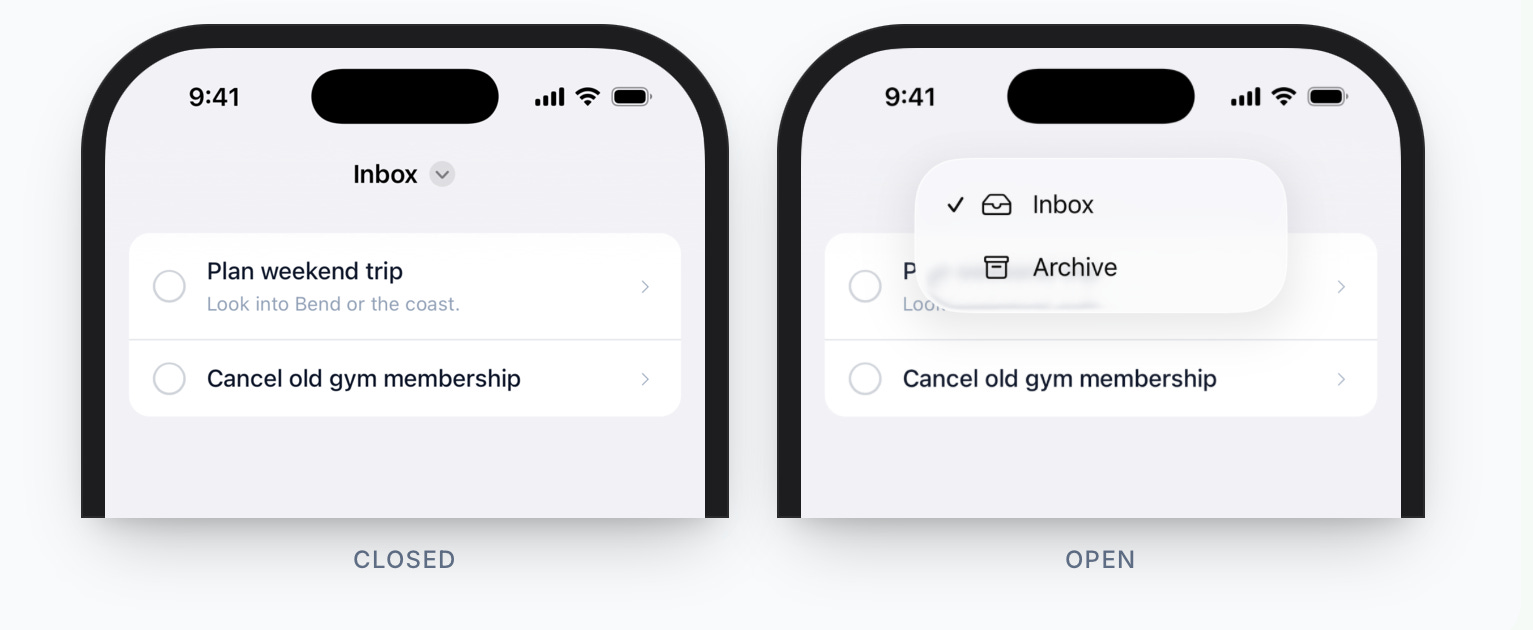
<%= native_navbar_tag "Inbox" do |navbar| %>
<%= navbar.button position: :title do |menu| %>
<%= menu.item "Inbox",
href: inbox_path,
icon: "tray",
selected: true %>
<%= menu.item "Archive",
href: archive_path,
icon: "archivebox" %>
<% end %>
<% end %>Add native segments with navbar.segment to quickly switch between contexts without leaving the current screen.
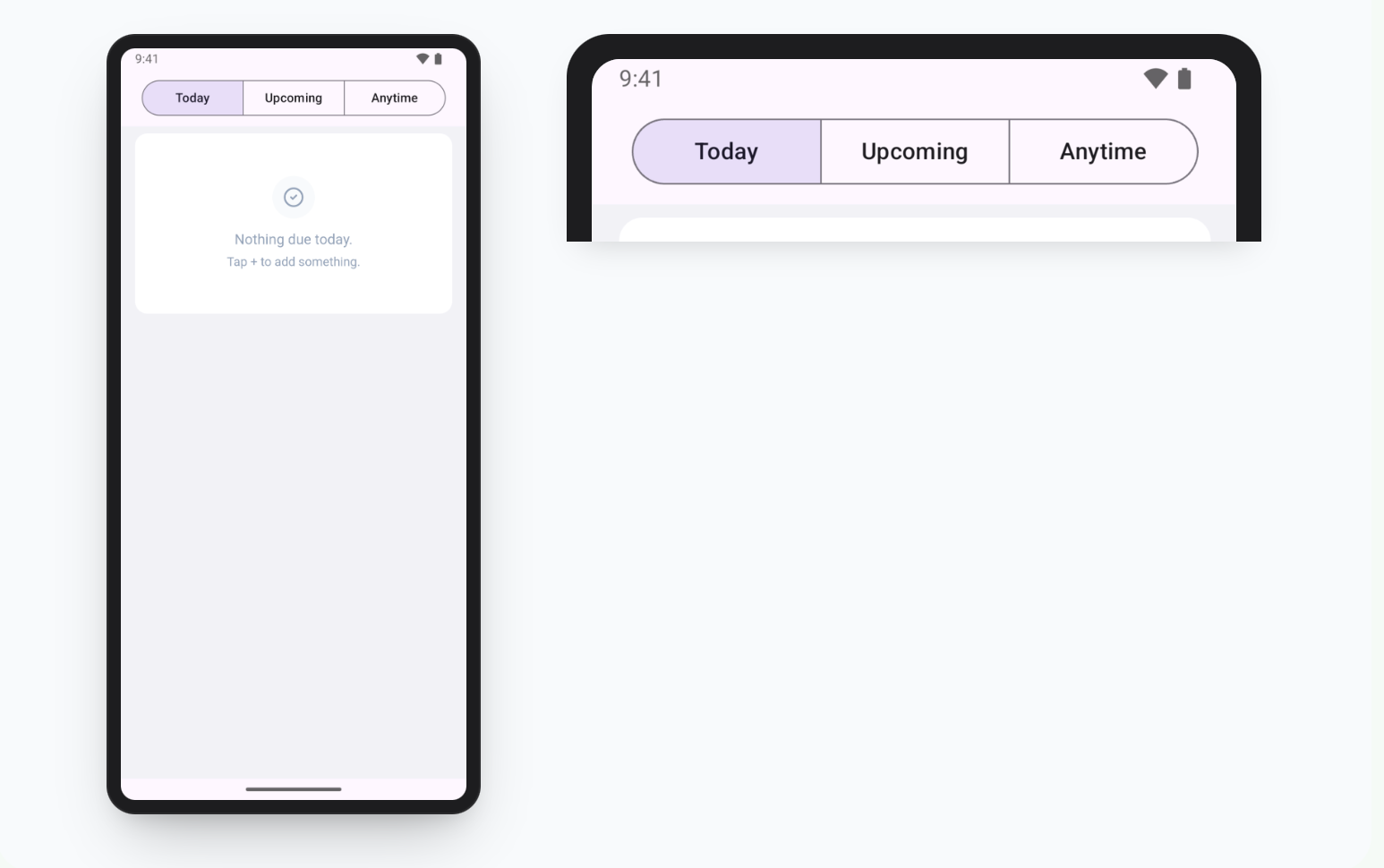
<%= native_navbar_tag do |navbar| %>
  <%= navbar.segment "Today", href: today_path, selected: true %>
  <%= navbar.segment "Upcoming", href: upcoming_path %>
  <%= navbar.segment "Anytime", href: anytime_path %>
<% end %>
Or completely customize the branding of the navigation bar with a background color and logo.
appearance:
  navbar:
    logo: "<%= image_url(’logo.png’) %>"
    background_color: "#3B3F54"
    foreground_color: "#FFFFFF"
    status_bar: light
What’s next?
Up next is building in-app purchase support for Android. From there, I’m planning on doing a bit of experimentation. Without giving away too much, what if Hotwire Native worked with Inertia?
Hit reply if you want a sneak peek! Until then, you can start building your own mobile apps with Ruby Native.
I’m really excited to see how Rails feels as a native Android app. I noticed pingrb on Google Play is a paid app ($9.99). I’d love to test and experience the Android capabilities first—is there an alternative way to try out a demo build (such as a direct APK download, an open-source sample app, or a public testing track)?