

Every app I’ve shipped over the last nine years started the same way.
A Rails developer reaches out with a great web app. Users love it. But they want to be in the App Store and they have no idea where to start.
So I help them set up Xcode. We configure signing certificates, provisioning profiles, and entitlements. We write Swift to handle navigation, tabs, push notifications, and authentication. We debug build errors that have nothing to do with their actual product.
It always works. And it always takes longer than it feels like it should. But the hardest part is never the app itself. It’s the tooling around it.
After 25+ apps, I started to notice something. A good chunk of every app I build is the same. The tab bar. The navigation. The configuration. The bridge components. The build pipeline… I was solving the same problems over and over, just for different clients.
So I started pulling those pieces into a single tool. And I kept going until the tool could do something I’ve wanted for a long, long time: ship a Rails app to the App Store without ever opening Xcode.
And that tool, my friends, is Ruby Native.
What it actually does
You add a gem to your Rails app. You write a YAML file that defines your app name, colors, and tabs. You run a command, scan a QR code, and see your app running natively on your iPhone. The whole thing takes about ten minutes.
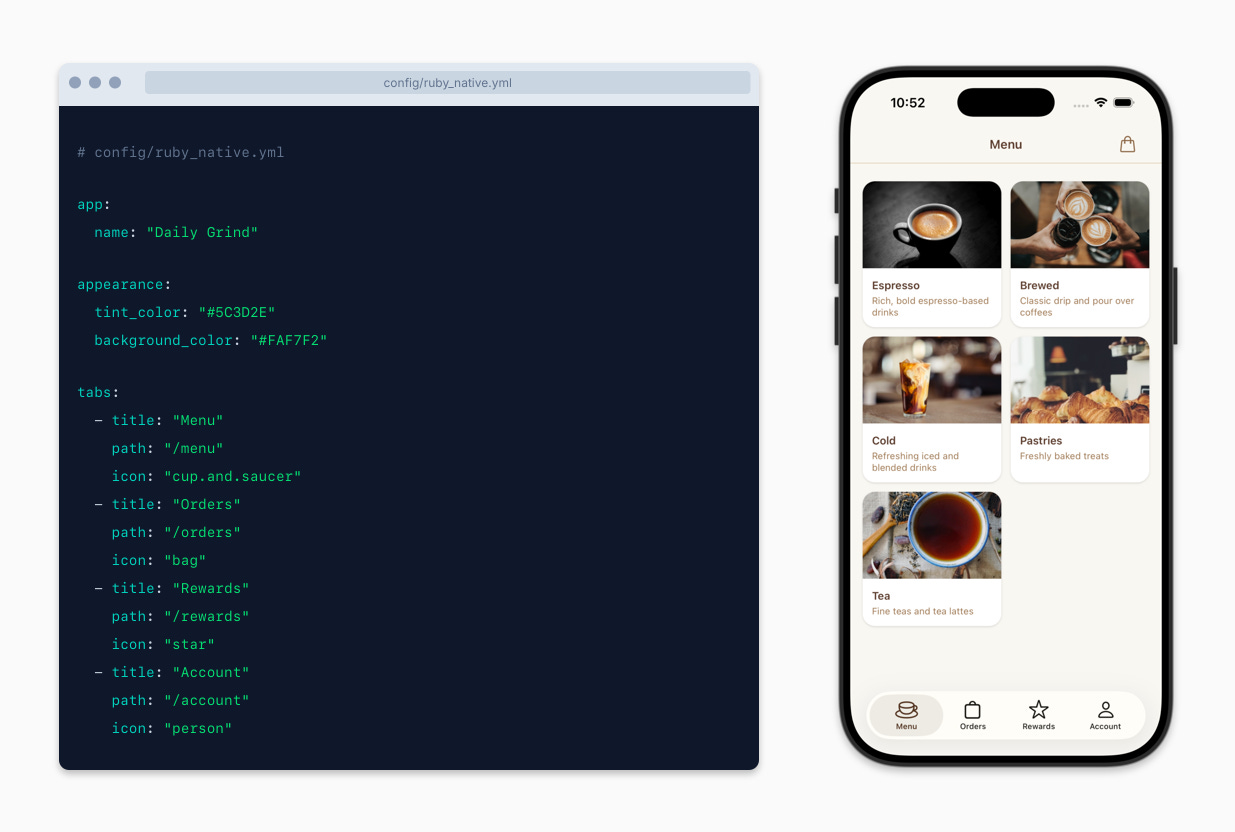
That YAML becomes a real native tab bar. Not a web recreation. A native tab bar using first-party Apple APIs.
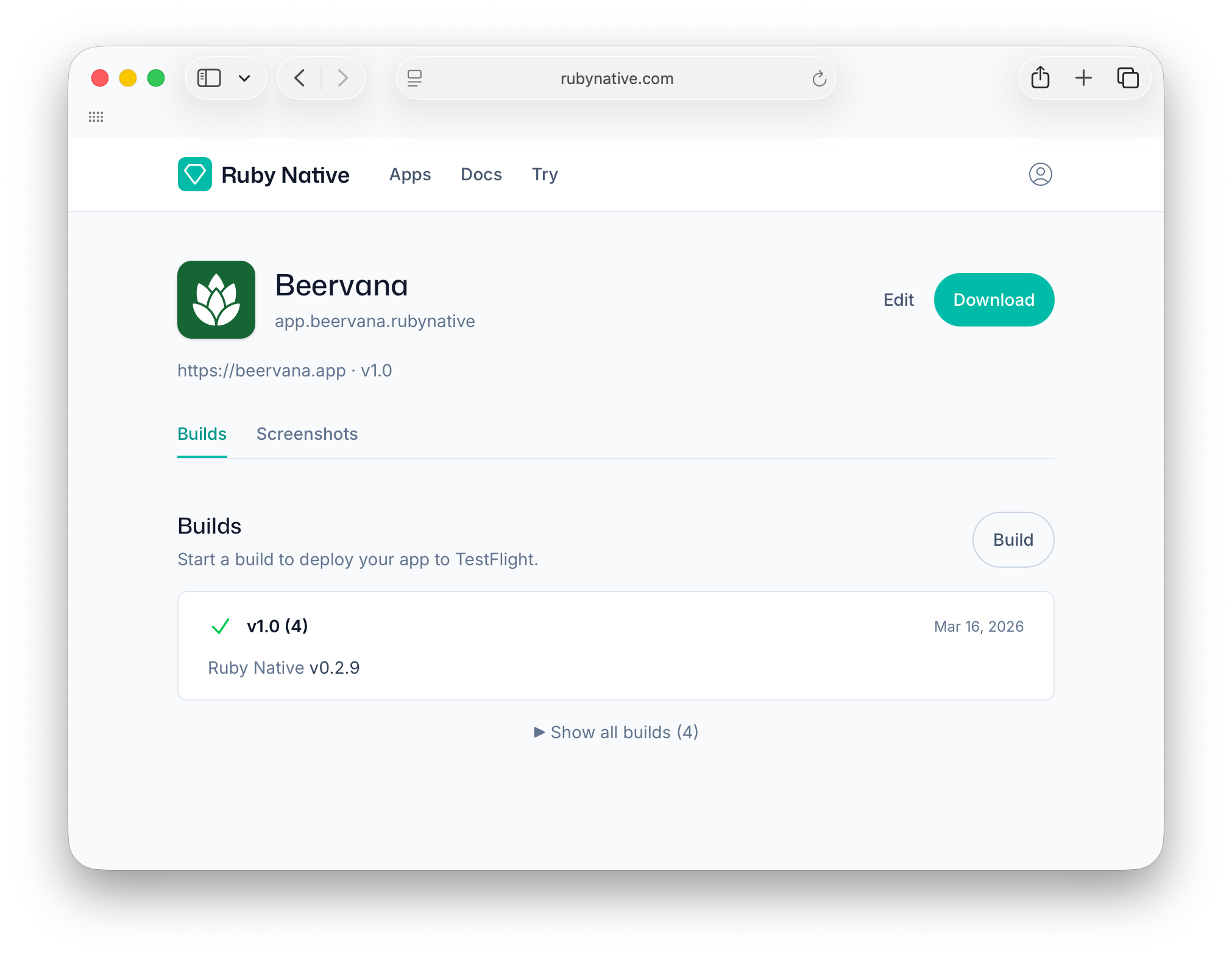
When you’re ready to ship, Ruby Native handles code signing, builds, and App Store submission in the cloud. You never install Xcode. You never write Swift. You deploy your Rails app like you always have, and the native shell just works.
Why I’m excited about this
It works with any frontend. Hotwire, React, Inertia, plain ERB. If your website is powered by Rails then it works with Ruby Native. You don’t have to adopt a specific framework or rewrite anything.
It turns a config file into a native app. Change a color in YAML, hit refresh, see it on your phone. That feedback loop is something I never had when building apps by hand.
It removes the scariest part. Most Rails developers I talk to aren’t afraid of building a good product. They’re afraid of Xcode, certificates, and the App Store submission process. Ruby Native takes all of that off their plate.
Run bundle exec ruby_native preview and a QR code pops up right in your terminal. Scan it with the Ruby Native Preview app on your iPhone and your Rails app is running natively on your phone. No build step, simulator, or Mac required.
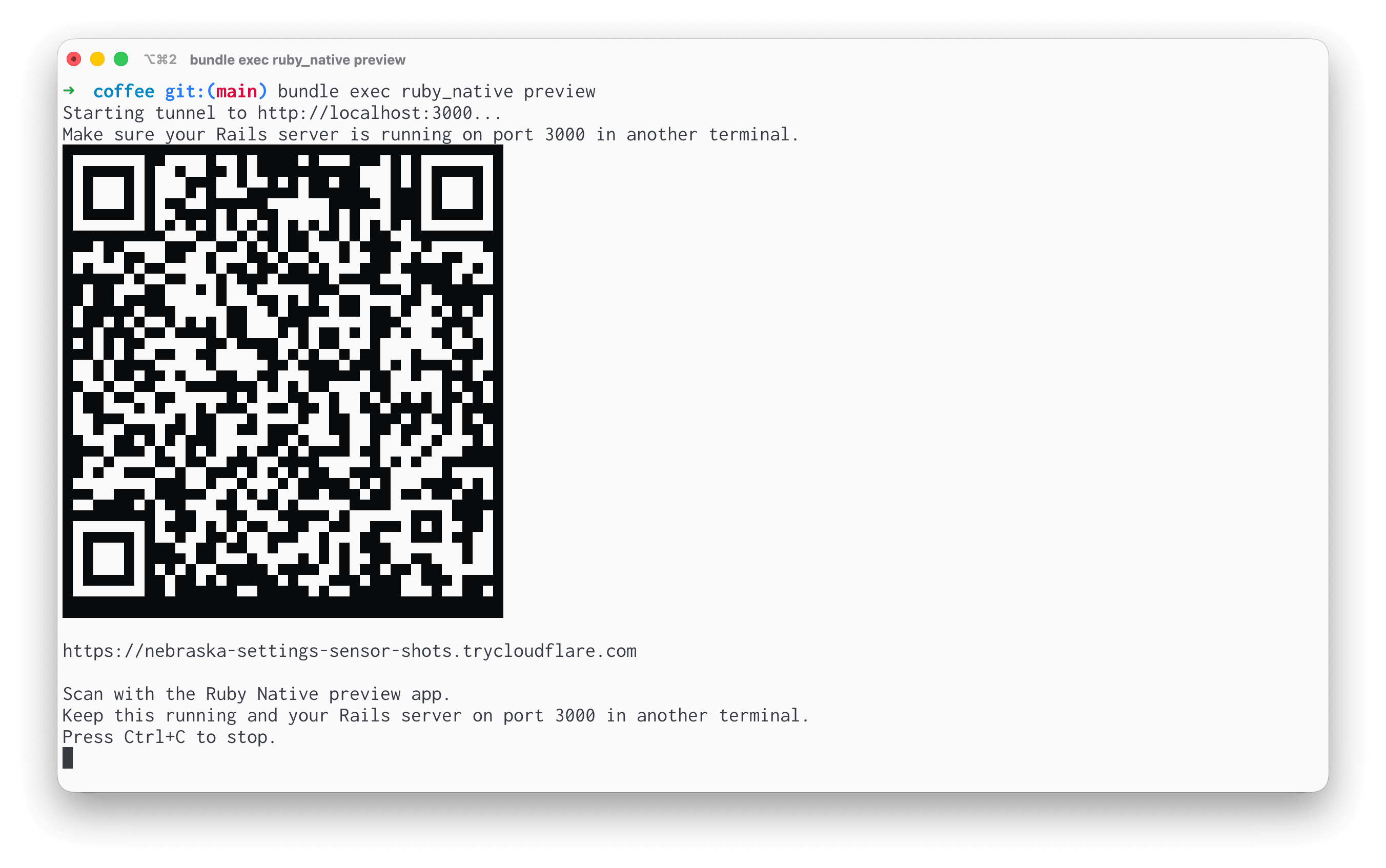
I mean, how cool is that?!
Where this is headed
I’m launching Ruby Native publicly on April 1. (Not a joke, I promise. 😅) Right now I’m getting early users set up and working through feedback.
If you want to see what it looks like, you can try it in about ten minutes. No account required.
I’ll be back in a few weeks with the full launch details. For now, I just wanted to share why this exists. It came from nine years of doing the same work and finally asking, “What if the Rails developer never had to leave Rails?”
Turns out, they don’t.
This actually makes me want to build an iOS app lol. Great work Joe!
I've been using Ruby Native for the last week or so for a new project, and it was truly remarkable to see it in TestFlight (still working on cleaning it up before submitting to the app store). It'd been a couple of years since the last time I tried to put something in the app store and Joe has made it so much easier than doing it yourself. Can't believe he's automated so much of this. Really grateful he's sharing it with us.