

pingrb is in the App Store and Google Play. It’s a paid app, and I built it with Ruby Native in five days without opening Xcode or Android Studio.
Anyone can upload a binary. Passing review in both stores, for a paid app, is the bar that says “this is a real app.” This is where most “we’ll get to mobile later” projects collapse, and it’s the bar Ruby Native had to clear if any of the pitch mattered.
pingrb isn’t the only one. Ender Ahmet Yurt shipped Foxance to the App Store with Ruby Native earlier this month. Two builders, three store listings, and absolutely zero native code between the two of us.
What pingrb does
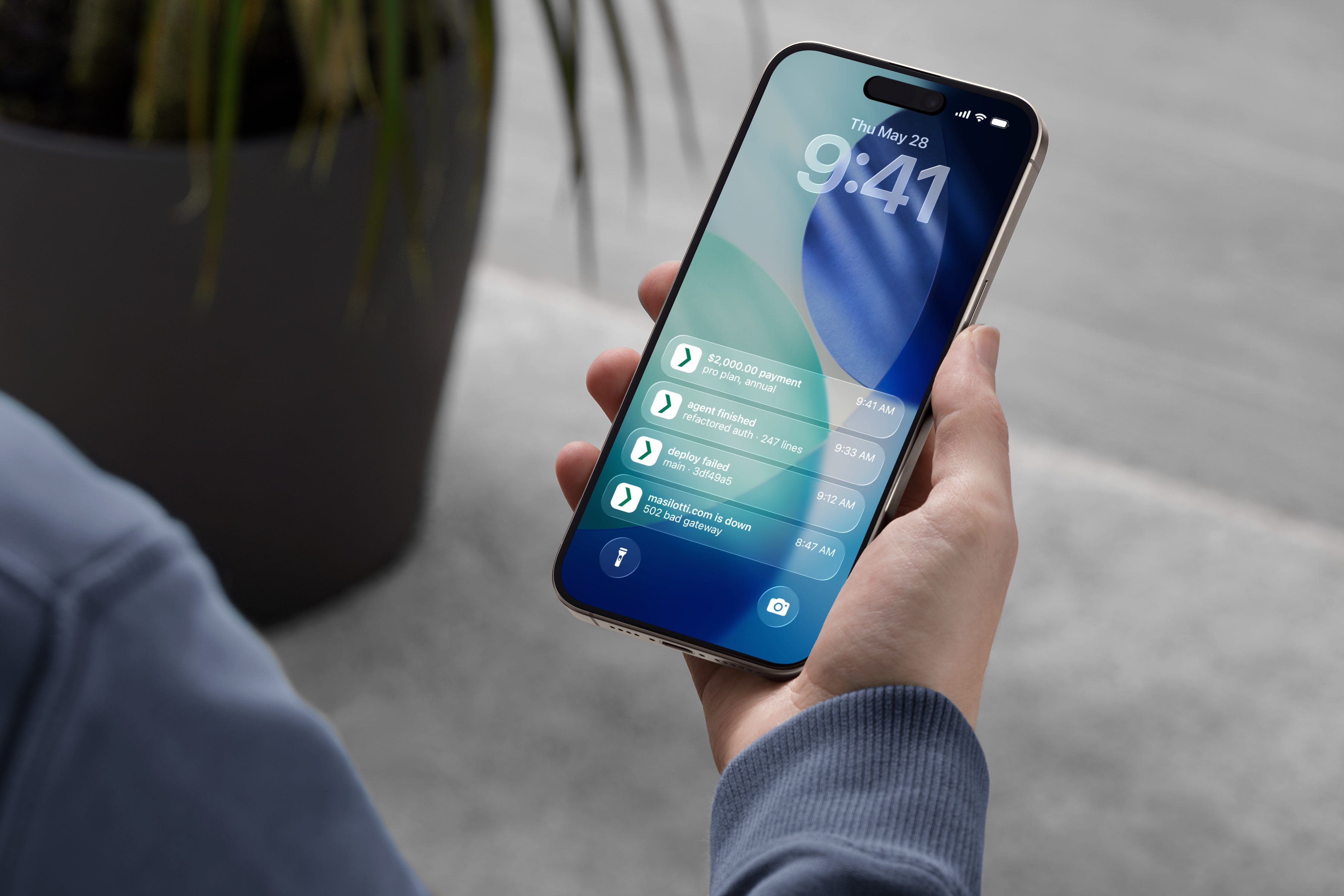
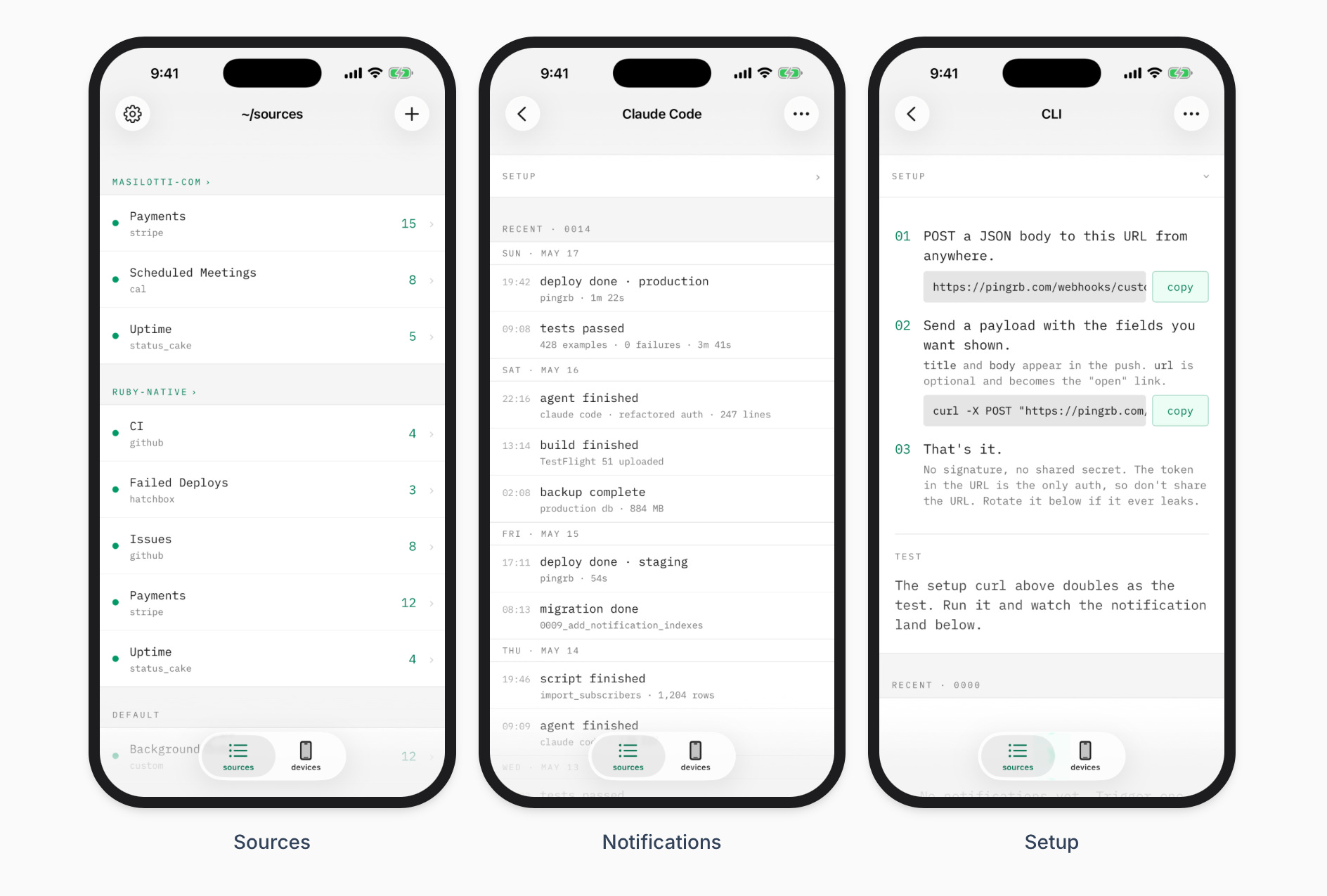
pingrb buzzes your phone when something matters on the projects you run. A Stripe payment lands. A Hatchbox deploy fails in the middle of the night. Honeybadger catches an exception. cal.com books a meeting. I run a handful of side projects and I wanted a push notification when something worth knowing about happens. So I built the app I wanted but couldn’t find.
Here’s how
Here’s pingrb’s entire native configuration:
# config/ruby_native.yml

tabs:
  - title: sources
    path: /sources
    icons:
      ios: list.bullet
      android: format_list_bulleted
  - title: devices
    path: /devices
    icons:
      ios: phone
      android: smartphone
That’s it. Both platforms read the same file. The Rails app is the only place I wrote code; everything else is configuration.
For the native behaviors that need to live in a view, Ruby Native gives you Rails helpers. The navbar on the sources screen looks like this:
<%= native_navbar_tag title: “Sources” do |navbar| %>
  <% navbar.button icon: “gearshape”, path: settings_path %>
  <% navbar.button icon: “plus”, path: new_source_path %>
<% end %>
That renders a real UINavigationBar on iOS and a real Toolbar on Android. native_push_tag registers the device with APNs and FCM. There are a handful of helpers like these, and they go in your ERB the same way link_to does.
Here’s the part that still feels weird to say out loud:
I never…
Opened Xcode or Android Studio
Wrote a line of Swift or Kotlin
Managed signing certificates or keystores
Touched App Store Connect or Play Console more than once
Configured TestFlight or Play Closed Testing by hand
Five days end to end, one Rails developer
Building the Rails app took a few days, which is where the actual product lives. Wiring it up to Ruby Native for iOS took three more, mostly icon-picking and getting push registration working. Android was a single morning of configuration. By that afternoon, the same Rails app was queued for review in the Play Console.
End to end, one Rails developer shipped a paid app to two stores. The “second codebase” problem doesn’t even apply, because it’s only a single codebase.
Speaking of which, the whole codebase is public. The Rails app, the Ruby Native config, and the view helpers all live at ruby-native/pingrb on GitHub.
Try it on your own Rails app
If you’ve been told a Rails app needs Swift, Kotlin, or a React Native rewrite to get into the stores, pingrb is the proof you don’t. So is Foxance. Two Rails developers, three store listings, in days not months.
Free TestFlight builds, no credit card, and you only pay when go live.
Want to kick the tires first? Install pingrb from the App Store or Google Play, or read the full case study with the YAML, helpers, and tradeoffs.
This is a really interesting point about store approval being treated as the “real app” milestone.
It does feel like that definition is a bit narrow, especially now that people are building and shipping much faster with different stacks and approaches.
I have been exploring platforms like https://unstore.io recently and it is interesting to see apps being shared and discovered outside the traditional store flow. Makes you question what actually defines a “real” app today.
What’s the difference between free and paid version ?